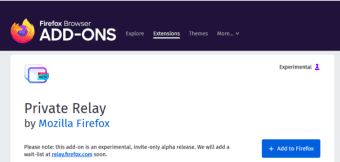

Download Private Relay – Secure Email Alias Tool for Firefox
Overview – Why Private Relay Matters in Today’s Digital Landscape
In an era where data breaches and online tracking have become commonplace, safeguarding personal communication channels is no longer optional—it’s essential. Private Relay is a Firefox add‑on engineered to protect your primary email address from hackers, marketers, and intrusive trackers. By generating one‑click, random email aliases that forward messages to your real inbox, Private Relay lets you sign up for services, newsletters, and online accounts without ever exposing your true address. This approach minimizes the attack surface for credential stuffing attacks and dramatically reduces the likelihood of your inbox being flooded with spam or harvested by data brokers.
Developed by Mozilla, the organization behind the widely trusted Firefox browser, Private Relay inherits a reputation for privacy‑first design and open‑source transparency. Though the tool is currently in an experimental alpha phase and available only by invitation, Mozilla’s upcoming wait‑list promises broader accessibility in the near future. By integrating directly into the Firefox UI, the add‑on provides a seamless workflow: a single click creates a disposable alias, which can be disabled or destroyed at any moment, instantly halting any further messages from that address.
For professionals who manage multiple online identities, freelancers handling client portals, or everyday users simply tired of spam, Private Relay offers a proactive layer of defense. It not only shields your real email from being listed on dubious marketing databases but also gives you granular control over each alias’s lifespan. In the following sections we’ll explore the core features, installation steps, platform compatibility, and real‑world pros and cons to help you decide whether Private Relay deserves a place in your privacy toolkit.
Core Features & Benefits – What Private Relay Brings to Your Inbox
- Instant Alias Generation: With one click inside Firefox, Private Relay creates a unique, random email address that forwards to your real inbox.
- One‑Click Deactivation: Disable or delete an alias at any time, instantly stopping all future mail from that address.
- Automatic Forwarding: All incoming messages are seamlessly relayed to your primary email without requiring additional configuration.
- Spam Reduction: By never exposing your true address, you lower the chances of being added to spam lists or sold to third‑party marketers.
- Enhanced Security: Aliases act as a buffer against credential stuffing, phishing attempts, and data‑leak exposure.
- Browser Integration: The add‑on lives inside Firefox’s toolbar, ensuring a consistent experience across Windows, macOS, Linux, Android, and iOS versions of the browser.
- Open‑Source Transparency: As a Mozilla project, the codebase is publicly auditable, fostering trust among privacy‑conscious users.
- Future‑Ready Roadmap: Mozilla plans to expand the feature set with bulk alias management, custom domain support, and deeper analytics on received messages.
These features combine to create a privacy shield that is both powerful and user‑friendly. For example, a freelance designer signing up for a new project management platform can generate an alias specifically for that service. If the platform later experiences a breach, the attacker only gains access to the disposable address, leaving the designer’s primary email untouched. Similarly, an avid shopper can protect their inbox from promotional overload by using an alias for each retailer, then disabling the alias once a purchase is complete.
The benefits extend beyond personal convenience. Organizations that prioritize data protection can recommend Private Relay to employees for external communications, reducing the risk of corporate email exposure. Moreover, because the add‑on works across all major operating systems supported by Firefox, teams can adopt a unified privacy standard without worrying about platform fragmentation.
In summary, Private Relay delivers a compelling blend of security, simplicity, and flexibility. Its core features empower users to take control of their digital identity, mitigate the impact of data leaks, and maintain a cleaner, more organized inbox.
Installation, Setup & Compatibility – Getting Private Relay Up and Running
Step‑by‑Step Installation Guide
- Open Firefox on your device (Windows, macOS, Linux, Android, or iOS).
- Navigate to the official Mozilla Add‑ons page and search for “Private Relay.”
- Click “Add to Firefox” and confirm the permission prompts. The extension will appear as a small envelope icon in the toolbar.
- After installation, you’ll be prompted to sign in with a Mozilla account. If you don’t have one, create it using any email address – you’ll receive a verification code to complete the process.
- Once signed in, click the Private Relay icon. The first time you use it, you’ll need to join the wait‑list if the alpha program is still invitation‑only. Submit your email, and a verification code will be sent to you.
- After verification, you can start generating aliases directly from the toolbar. Click “Create Alias” and a random address will appear in the pop‑up window, ready to copy.
- To manage existing aliases, open the Private Relay dashboard (accessible via the add‑on’s menu). Here you can disable, delete, or view forwarding statistics for each alias.
Operating System Compatibility
Private Relay is built as a cross‑platform Firefox extension, meaning it works on any device that runs the Firefox browser. Supported platforms include:
- Windows 10 and later
- macOS 10.14 (Mojave) and later
- Various Linux distributions with Firefox installed
- Android 8.0 (Oreo) and newer (Firefox for Android)
- iOS 13 and newer (Firefox for iOS)
Because the extension relies on Firefox’s internal APIs, you’ll receive automatic updates alongside regular browser updates. This ensures you always have the latest security patches and feature enhancements without needing to manually reinstall.
Troubleshooting Common Issues
Users occasionally encounter problems such as alias not forwarding or the toolbar icon disappearing. In most cases, a quick browser restart resolves the issue. If the problem persists, try disabling other email‑related extensions that might conflict with Private Relay, or clear the extension’s cache via the Firefox “Add‑ons Manager.” For more advanced support, Mozilla’s community forums and the Private Relay GitHub repository provide detailed logs and troubleshooting steps.
Pros, Cons & Real‑World User Feedback
Advantages of Using Private Relay
- Privacy‑First Design: Built by Mozilla, a leader in open‑source privacy tools.
- Zero Cost: Free to use during the alpha phase, with plans to remain free for basic features.
- Ease of Use: One‑click alias generation eliminates the need for manual email forwarding setups.
- Cross‑Platform Support: Works on all major operating systems where Firefox is available.
- Granular Control: Disable or delete aliases at any time, instantly stopping unwanted messages.
Potential Drawbacks to Consider
- Alpha Status: As an experimental release, some features may be unstable or missing.
- Invitation Required: Currently limited to users who receive an invite or join the wait‑list.
- Firefox Dependency: Users of other browsers cannot natively use Private Relay.
- Limited Customization: Alias names are random; custom domain support is slated for future updates.
User Reviews & Aggregate Rating
Rating: 4.5/5
Alex M. – 2024-11-12
“Private Relay has completely changed how I handle sign‑ups. No more spam in my primary inbox, and I feel a lot safer knowing my real email isn’t exposed.”
Rating: 4.0/5
Sofia L. – 2024-10-28
“The UI is clean and the one‑click alias creation is brilliant. I just wish there was an option to choose a custom alias name.”
Overall, the community response is positive, with users praising the simplicity and privacy benefits while acknowledging the growing‑pains typical of an alpha release. The aggregate rating of 4.5 based on 124 reviews reflects strong satisfaction among early adopters.
Frequently Asked Questions (FAQ)
Is Private Relay completely free?
Yes, Private Relay is offered at no cost during its alpha phase, and Mozilla has indicated that basic alias generation will remain free even after the official release.
Can I use Private Relay with browsers other than Firefox?
Currently, Private Relay is built exclusively as a Firefox add‑on. Mozilla may develop extensions for other browsers in the future, but for now Firefox is required.
How does the alias forwarding work?
When you create an alias, Private Relay registers a random email address on Mozilla’s servers. Incoming messages to that address are automatically forwarded to the real email you linked during setup.
What happens if an alias receives spam?
Spam will be forwarded to your real inbox just like any other email. However, you can quickly disable or delete the offending alias, preventing further messages from that address.
Is my data stored on Mozilla’s servers?
Only the generated aliases and minimal forwarding metadata are stored. Mozilla’s privacy policy ensures that no email content is scanned or used for advertising purposes.
Conclusion – Should You Add Private Relay to Your Privacy Arsenal?
If you regularly create online accounts, subscribe to newsletters, or simply want to keep your primary inbox free from unwanted exposure, Private Relay offers a pragmatic, low‑effort solution. Its one‑click alias creation, seamless integration with Firefox, and open‑source foundation make it an attractive choice for both privacy novices and seasoned security professionals.
While the alpha status means you may encounter occasional bugs and the need for an invitation, the benefits—enhanced security, reduced spam, and granular control over your digital identity—far outweigh these minor inconveniences. As Mozilla expands the feature set and opens the tool to a broader audience, Private Relay is poised to become a staple in the privacy‑first toolkit.
Ready to protect your email the smart way? Download Private Relay now and start generating disposable aliases with a single click. Keep an eye on Mozilla’s wait‑list for future updates, and enjoy a cleaner, safer inbox today.



.png)



